
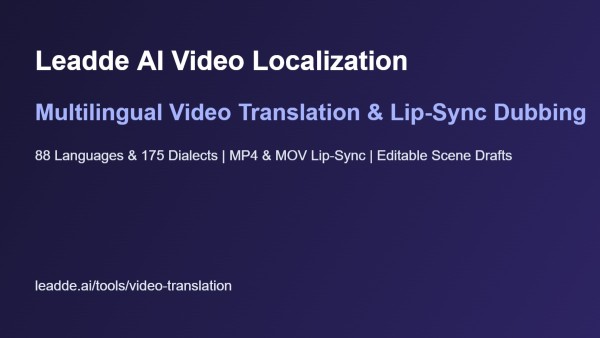
Leadde combines editable canvas video translation across 88 languages and 175 dialects with MP4 lip-sync dubbing, image translation, and slide tools.
Singapore, 16th Nov 2026 – Leadde provides global training, product marketing, and education teams with a web workspace that combines editable canvas video translation across 88 languages and 175 dialects with external MP4 and MOV dubbing, lip-sync alignment, and slide localization under one account.
Shipping a product tutorial or compliance course to regional offices usually exposes a gap between audio dubbing and visual editing. A standard dubbing utility can swap an English voice track for Spanish, German, or Japanese in minutes. Yet the video frame itself remains frozen in the source language. Slide titles, step numbers, and warning callouts stay in English while the narrator speaks another language, or translated subtitles stack over the bottom third of the screen and hide interface buttons.
For video producers, fixing that mismatch has meant keeping parallel project files across separate editing suites, transcription tools, and voice generators. Every time a localized sentence runs twenty percent longer than the English original, an editor has to reopen the timeline, stretch the scene, resize overflowing text boxes, and render the file again.
Two paths for localizing studio projects and external footage
When a video is built inside the Leadde studio, clicking Translate on the editor toolbar or project share page converts both the spoken script and editable on-canvas text strings. Users pick from 88 languages and 175 dialects, and Leadde saves each translated version as a separate project draft. Because localized copy stays on an editable canvas rather than getting burned into a flat video track, authors can open the Spanish or French draft, adjust font sizes where phrasing expands, nudge a callout box, and check scene timing before exporting.
For videos recorded outside the platform, Video Dubbing in the AI Tools menu handles pre-recorded footage in the browser. Operators upload MP4 or MOV files, select a source language, choose from 15+ target dubbing languages, and toggle lip-sync so the speaker’s mouth movements align with the translated audio track. Teams can preview dubbed timing in the workspace and download localized SRT or VTT subtitle files with the video.
Controlling voice cloning, pronunciation, and subtitle timing
Accurate technical localization depends on how a voice engine handles product names, acronyms, and regional phrasing. Across the studio, Leadde lets authors define custom pronunciation rules that apply to the full script, so a model number or medical term is read the same way in every scene.
Editors can also insert pause cards from 0.1 to 99 seconds to give viewers time to read a dense table before the narrator moves on. For teams that want to keep a familiar instructor’s voice across languages, Leadde supports custom voice cloning from 10 to 60 seconds of clear MP3, WAV, or M4A audio, paired with nine subtitle styles.
“Most video localization breaks down right where the audio meets the slide layout,” said a spokesperson for Leadde. “If you dub a software walkthrough into German or Japanese, the voice changes, but the English headings and diagram labels on screen stay behind. Giving teams an editable translated draft alongside MP4 lip-sync dubbing means they can fix an overflowing headline, adjust a pronunciation rule, and publish the regional version from one project list.”
Localizing embedded diagrams, slides, and source manuals
Because training videos rely on imported graphics and slide decks, Leadde keeps visual and document localization in the same AI Tools sidebar. When an architecture diagram or screenshot contains flattened labels, image translation replaces embedded text inside JPG and PNG files in place and helps preserve placement, background elements, and layout structure. Authors can upload one graphic or use Batch Translate & Edit for multi-file sets.
If the source material starts as a presentation, PPT Translation converts the PowerPoint deck while keeping original text boxes, shapes, and slide structure intact. Authors then move the localized deck into the PowerPoint to video workflow via Slide Presenter. That mode accepts PDF or PPTX files up to 50 slides and 200 MB, preserves editable slide layers, and imports speaker notes as narration.
Teams starting from written operating procedures can upload PDF, PPTX, DOC, DOCX, or TXT files through AI Video Creator and the PDF to video workflow. Users set a target duration, toggle Keep Original Images so verified charts carry into the draft, and specify Narrative Style, Audience, Speaker Background, and Training Objective. Leadde presents an editable scene Outline first so reviewers can check section structure before opening the canvas.
Extending localized drafts with AI avatars and motion graphics
Within the multi-scene studio, trainers and educators use the AI lecture video maker and AI learning video generator to pair localized scripts with 300 AI avatars or the Expressive IV engine, which renders up to 60 seconds of full-body movement and facial expression per video.
Authors can also animate a portrait with the AI talking photo generator when a scene needs a presenter intro. For data-heavy slides, editors apply entrance, exit, and emphasis animations along the timeline or use Create Media (Motion V2, billed by credit) for infographic animation sequences.
Availability and pricing
Leadde is available on the web at https://leadde.ai/. The Free plan ($0/month) includes 200 monthly credits, videos up to 10 minutes, and 1080p MP4 exports. Starter ($25/month, or $18/month billed annually) provides 2,000 monthly credits, watermark removal, and SRT/VTT subtitle downloads. Creator ($69/month, or $41/month on promotional annual billing) offers 7,000 monthly credits, Brand Kits, custom fonts, and 4K MP4 exports, and Enterprise plans add shared Team Workspaces.
About Leadde
Leadde is an AI video and visual communication workspace for educators, product teams, trainers, and global organizations. It combines document-to-video creation, 300 AI avatars, 88 languages and 175 dialects, and visual localization tools under one credit balance.
Media Contact:
Leadde Media Team
Email: support@leadde.ai
Website: https://leadde.ai/
Media Contact
Organization: LEADDE PTE. LTD.
Contact Person: Leadde Media Team
Website: https://leadde.ai/
Email: Send Email
Country: Singapore
Release id: 50766
View source version on King Newswire:
Leadde Unifies Canvas Video Translation and Lip Sync Dubbing Across 88 Languages in One Workspace

Disclaimer: The views, suggestions, and opinions expressed here are the sole responsibility of the experts. No Fast Amplify journalist was involved in the writing and production of this article.
